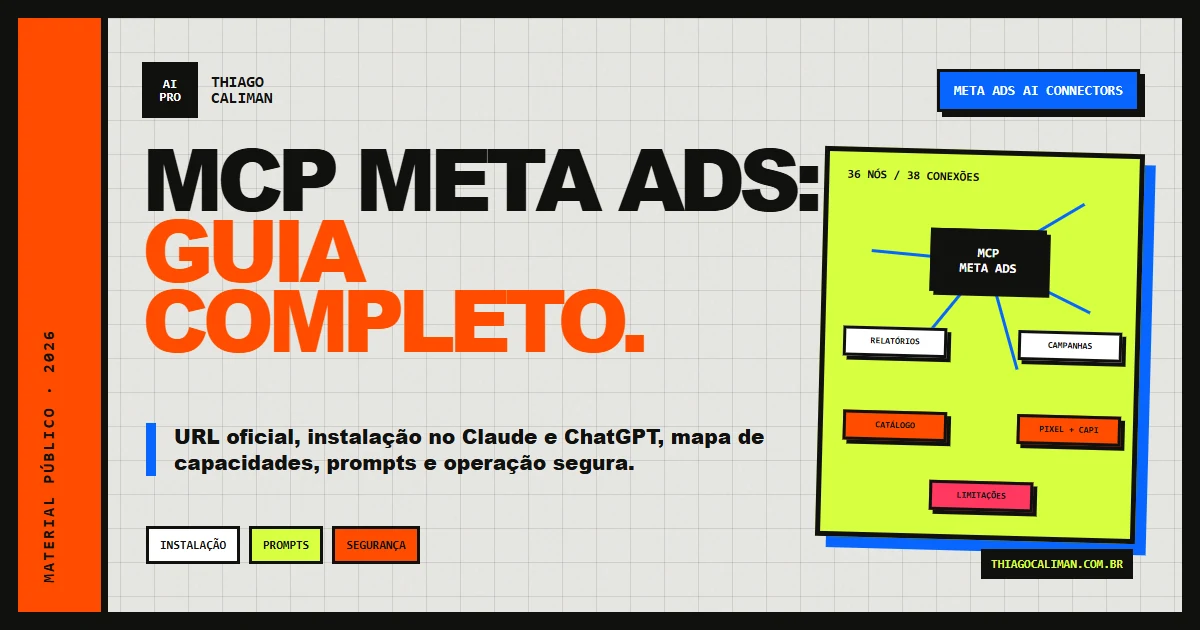
Meta Ads AI ConnectorsComplete guide 2026Public material

Meta Ads MCP:complete guide.

Official URL, setup in Claude and ChatGPT, a capability map and ready-to-use prompts to connect AI to Meta Ads without outsourcing strategy, judgment or responsibility.

OFFICIALConnector published by Meta
BETAFeatures and availability may change
36 NODESComplete map of capabilities and limitations
17.07.26Date of this editorial review
The product is in beta: names, number of tools, permissions and availability may vary by account and version.
Quick response

What is the Meta Ads MCP?

The Meta Ads MCP is Meta's official connector that enables compatible AI clients to query data and prepare operations on authorized ad accounts using natural language. It brings Claude, ChatGPT and other compatible interfaces closer to Meta Ads, but does not replace strategy, human validation or account permissions.

AI
PRO
Curation and review: Thiago CalimanPractical experience in Artificial Intelligence and Performance, original technical map and validation in official Meta sources. Revised July 17, 2026.
Official URL
Remote server from Meta.https://mcp.facebook.com/ads
What it does
Analyzes campaigns, retrieves signals and prepares operations supported by the available tools.
Where to connect
In compatible MCP clients, such as Claude and ChatGPT, when the feature is available for the plan and account.
Security rule
Start by reading, confirm account and period, ask for a preview and only allow writing after explicit approval.
MCP Meta Ads guide cover with 36-node map representation, installation, prompts and safety
Meta Ads MCP editorial map · 36 nodes connecting setup, areas, capabilities, prompts and limitations.
01
Mental model

The MCP is not a media manager. It is the bridge.

It reduces clicks and brings AI closer to account data and operations. Judgment remains with the person who understands the client, margins and funnel.

01

Context

You provide the product, average order value, target, budget, audience, attribution model and non-negotiable constraints.

02

Intention

AI transforms an operational question into structured calls to available tools.

03

Execution

The connector reads data or prepares changes compatible with the granted permissions.

04

Decision

The manager validates evidence, impact and risk before approving any real action.

02
Complete interactive map

36 nodes. 38 connections. No loose ends.

Explore setup, areas, tools, prompts and limitations. Select, drag, search or hide layers without losing the relationships between them.

Complete Meta Ads MCP graph Map with 36 nodes and 38 connections, organized into center, setup, areas, tools, prompts and limitations. Floating nodes · Click = details · Drag = rearrange · Layers = isolate
On your phone, swipe the map sideways. Tap any node to open the details below.
Textual and indexable inventory of the complete map

This semantic version records the graph's essential content in HTML. It improves accessibility and makes the material readable by search engines and AI agents even when the visual interface is not executed.

Four-step setup

The minimum path to connect the official server with control.

  1. InstallAdd https://mcp.facebook.com/ads to a compatible MCP client.
  2. AuthorizeSign in through Meta and authorize only the necessary accounts.
  3. Discover resourcesAsk for the list of tools, accounts and permissions actually exposed.
  4. Add contextProvide the business, product, target CPA, budget, funnel, audience and constraints.

Five operational areas

The large blocks that organize the connector's capabilities.

  • Reports and insightsMetrics, anomalies, trends, benchmarks and multiple accounts.
  • Campaign managementCreation and editing of campaigns, ad sets, ads, creatives and statuses.
  • CatalogProducts, feeds, inventory, product sets, rules and diagnostics.
  • Signal diagnosticsPixel, CAPI, datasets, parameters, quality and errors.
  • ExtrasAd library, A/B testing and supplementary resources.

Fourteen capability clusters

The technical names below reproduce the identifiers registered in the base material. Actual availability must be confirmed within the authenticated session.

  1. Metrics by levelQueries entities and context for campaigns, ad sets and ads.ads_get_ad_entitiesads_insights_advertiser_context
  2. AnomaliesLooks for relevant deviations in spending, delivery and performance.ads_insights_anomaly_signal
  3. Auction BenchmarkCompares industry and position in the competitive environment when available.ads_insights_auction_ranking_benchmarksads_insights_industry_benchmark
  4. Trend and targetOrganizes performance trends over time without claiming causality.ads_insights_performance_trend
  5. Multiple accountsLists and compares accounts authorized through the OAuth flow.ads_get_ad_accountsads_insights_advertiser_context
  6. Create campaignPrepares a campaign, ad set, ad, creative and preview.ads_create_campaignads_create_ad_setads_create_adads_create_creativeads_get_ad_preview
  7. Edit or pausePrepares update and activation of entities after preview and approval.ads_update_entityads_activate_entity
  8. Audiences and lookalikesCreates, updates or queries audiences supported by the account's permissions.ads_create_custom_audienceads_update_custom_audienceads_get_ad_account_custom_audiences
  9. Feed and inventoryManages feeds, product sets and transformation rules.ads_catalog_create_product_feedads_catalog_update_product_feedads_catalog_create_product_setads_catalog_create_feed_rule
  10. Catalog diagnosticsFinds feed, inventory, pricing, and dynamic ad failures.ads_catalog_get_diagnosticsads_catalog_get_dynamic_ads_health
  11. Pixel and CAPIReads events, parameters and quality signals from datasets.ads_pixel_event_readads_pixel_parameter_readads_get_dataset_qualityads_get_dataset_stats
  12. Delivery errorsGathers relevant errors and activity logs for diagnosis.ads_get_errorsads_account_get_activity_logs
  13. Ad libraryResearch public ads to identify patterns without assuming performance.ads_library_search
  14. A/B TestingCheck eligibility, create experiments, and query results.ads_experiment_check_eligibilityads_experiment_abtest_create_testads_experiment_lift_create_testads_experiment_list_tests

Seven prompt paths

  • Discover resourcesAvailable tools, permissions and accounts.
  • Seven-day insightsShort summary of what requires attention.
  • CPARanking above target with evidence.
  • Budget leakageReviewable budget redistribution.
  • CompetitorPublic patterns transformed into original hypotheses.
  • ReportData translated into business decisions.
  • Launch a campaignGuided creation with questions and a preview.

Five limitations

  • Does not decide aloneStrategy and criteria remain human.
  • Does not generate the complete creativeImage, video and hosting require another layer.
  • Does not notify aloneRecurring alerts require external automation.
  • Does not replace CRMForms and post-capture may require additional integrations.
  • Does not expose all optimizationComplete delivery logic and Advantage+ do not become fully controllable through prompts.

Open beta: the authenticated server response is always the final operational source for names, tool count, permissions and availability.

The rule that protects the account.
Never ask only: “optimize my campaigns.” Provide context + criteria + limits + response format. Before any write operation, require a readable preview of every proposed change.
03
Operational library

Prompts that start with the business.

Replace the fields in square brackets. The better the briefing, the lower the chance of receiving a generic analysis.

12 prompts available

P.01Analysis

Master Briefing

Run it once at the beginning of the project or conversation.

Fixed context for every analysis of this account: business [X], product [Y], average order value R$ [Z], target CPA R$ [A], monthly budget R$ [B], funnel [ad → destination → conversion], ideal audience [C], audience to exclude [D] and attribution window [E]. Use these parameters as the baseline, confirm the account before querying it and flag any missing data.
P.02Analysis

Morning check

To open the day knowing where to act — or not to act.

Run a morning check on account [NAME/ID]: 1) yesterday's spend vs. the previous 7-day average; 2) anomalies in CPM, frequency or delivery; 3) campaigns or ad sets with CPA above R$ [X]; 4) budget pacing outside the monthly plan. Answer in no more than 10 lines, beginning with ACTION REQUIRED or ALL NORMAL. Do not change anything.
P.03Analysis

CPA with evidence

Get out of “it’s expensive” and get to the probable reason.

Analyze the last 14 days and rank ad sets and ads above the target CPA of R$ [X], from worst to best. For each one, show the probable cause, supporting evidence (CTR, CPM, frequency and conversion rate), confidence level and recommended action. Close with an estimate of weekly waste. Do not make changes.
P.04Operation

Secure Redistribution

Transforms diagnosis into reviewable plan.

Compare the cost per result across active ad sets. Identify where budget is concentrated on expensive results and underallocated to efficient results. Suggest a redistribution with exact amounts while keeping total spend unchanged. Before any execution, present a BEFORE → AFTER table with the risk of each change and wait for my explicit approval.
P.05Operation

Scale plan

Scale with stop trigger defined before.

Campaign [X] has a CPA of R$ [Y], below the R$ [Z] target. Build a gradual 7-day scaling plan. Define the increase at each step, what to monitor after every change, the acceptable deterioration threshold and the exact stop trigger. Use the account's history and do not execute anything.
P.06Analysis

Signal audit

Investigate what may be contaminating the reading.

Audit the signals available for the [ID] account: [Lead/Purchase/AddToCart] key events, coverage and quality of events, possible duplications and delivery errors. Separate observed fact from hypothesis. Prioritize issues by potential impact and describe how to validate each fix before applying it.
P.07Operation

Catalog health

Find silent waste in e-commerce.

Check the health of catalog [NAME/ID]: out-of-stock items that remain eligible, price discrepancies, feed errors, missing fields and impact on dynamic ads. Organize findings by severity, identify the source of each issue and create a remediation checklist. Do not remove or change products without approval.
P.08Creative

Market angles

Research reference without copying competitors.

Research active ads for [COMPETITOR/NICHE] in the available sources. Separate recurring patterns in hooks, promises, formats, proof and CTAs without claiming performance that public data cannot prove. Turn those patterns into 3 original content angles and 2 direct-response angles for my brand [CONTEXT].
P.09Creative

Two-layer hook

Create the idea first, then the visual form.

Create 10 hooks for the first 3 seconds of an ad. Niche [X], product [Y], benefit [Z], available proof [W]. Mix challenging questions, data, demonstrations and pattern interrupts. Then describe a simple visual execution for the top 3 that I can record with [RESOURCES].
P.10Creative

Multiply the Winner

Vary what matters without destroying the pattern.

This ad performed well: [DESCRIPTION + METRICS + PERIOD]. Separate correlation from evidence and propose up to 3 performance hypotheses involving the hook, angle, emotion, proof, format or offer. Generate 5 controlled variations, changing one element at a time, and propose a test matrix with a clear winning metric.
P.11Client

A report your client will read

Data, interpretation and next steps in one deliverable.

Generate the report for the last 30 days and compare it with the previous 30 days. Open with investment, main result, CPA and ROAS when applicable. Then show the table by campaign and a jargon-free section: “what we did, what we learned and what we will do”. Close with 3 next steps, deadline and risk. Don't invent missing data.
P.12Client

24-hour audit

A foundation for a fixed-scope, repeatable service.

Perform an executive audit of account [ID] in period [X]. Evaluate structure, budget distribution, performance, creatives, frequency, signals and catalog when applicable. For each finding, record evidence, impact, confidence, and recommendation. Deliver a 7/30 day plan. Do not make changes: this step is diagnostic only.
04
Setup + governance

Connect in minutes. Build trust in stages.

The connector's speed does not eliminate the need for control. An ad account is a financial, reputational and operational environment.

Setup / once

  1. Add the connector

    On the supported MCP client, add the official endpoint https://mcp.facebook.com/ads. Menu location and supported plans may vary.

  2. Authorize by Meta

    Sign in with the correct account, review Business, and limit access to the required accounts.

  3. Discover capabilities

    Ask the AI to list the available tools and accounts. Its response is the operational source of truth for your current version.

  4. Start with read-only tasks

    Run a briefing, morning check and audit before allowing any write operation.

  5. Test at low risk

    When moving to write operations, use a test account or a reversible change and validate the response.

Safeguards / always

  • Least privilegeAuthorize only what the task requires and review access periodically.
  • Account confirmedRequire the name, ID, currency and time zone before any analysis or action.
  • Preview before writingAsk for a BEFORE → AFTER table with impact and risk.
  • Explicit approval“You may proceed” should come after the preview, never embedded in the first prompt.
  • Verified statusDo not assume a new entity was created as paused; confirm the returned status and verify it in Ads Manager.
  • ChangelogSave the date, person responsible, changed object, previous value, new value and reason.
  • No secrets in chatNever paste a password, token, lead's personal data or client credentials.
05
Gradual adoption

Your first week with the MCP.

A short progression that creates value before expanding permissions and risk.

D0

Connect

OAuth, correct accounts, available tools and read-only access at first.

D1

Baseline

Business context, targets, comparison periods and account structure.

D2

Anomalies

Morning check and comparison with the relevant historical average.

D3

Efficiency

CPA, waste, budget allocation and evidence-backed hypotheses.

D4

Creative

Patterns, saturation, controlled variations and a testing matrix.

D5

Signals

Pixel, CAPI, delivery errors and catalog health, where applicable.

D7

Govern

Reporting, a repeatable routine and the first write operation only after preview and explicit approval.

06
Business layer

The connector is free. Your judgment is not.

The commercial value is not in “having MCP.” It is in packaging diagnosis, routines, communication and decision-making for a specific niche.

24-hour audit

A fixed-scope entry offer that turns account data into 7-day and 30-day priorities.

  • Read-only analysis
  • Evidence + impact
  • Action plan
One-off sale

Weekly report

A recurring service that translates performance into business language and next steps.

  • Period-over-period comparison
  • Jargon-free summary
  • Recorded decisions
Recurring revenue

Sentinel

Detection routine with clear rules and human routing, without the promise of autopilot.

  • Alert triggers
  • Escalation
  • Incident history
Premium operation

Niche copilot

Specific context, criteria and playbooks for clinics, digital products, e-commerce or local businesses.

  • Niche vocabulary
  • Proprietary benchmarks
  • Consultative process
Higher-ticket offer
07
Direct answers

Questions that avoid costly mistakes.

What is Meta's MCP?

It is an official open-beta connector that allows authorized AI tools to create, manage and analyze Meta Ads campaigns using natural language. The MCP is the connection layer; strategy quality still depends on the paid media manager.

Do I need coding skills?

Not for the basic workflow. Add the remote connector to a compatible client, complete Meta authorization and interact with the AI. The interface, required plan and availability may vary by client and account.

Can I let AI optimize everything on its own?

This guide does not recommend it. Begin with read-only tasks, define criteria, request a preview and keep human approval in the loop before changes. A connector can execute operations, but it does not independently understand margins, inventory, sales capacity, brand context or client risk.

Why can the number of tools change?

The product is in beta, and the server may expose different tool combinations depending on version, permissions, account and compatible client. The map organizes the capabilities and records identifiers from the base material; verification inside the authenticated session remains the final operational source.

How do I start safely?

Authorize only the necessary accounts, discover active capabilities, keep access read-only at first, confirm the account and period for every task, and move to write operations only after receiving and reviewing a complete preview.

Curation and reviewThiago
Caliman
AI PRO Revolution / 17.07.2026
Editorial transparency

Sources, version and limits.

This material was reconstructed from the work and research of Thiago Caliman, who has invested more than R$ 5 million in Meta advertising over the last five years, the original technical map and validation against Meta's official sources. Interfaces, tool names, plans, permissions and beta limits may change after this review.

How this guide was produced: editorial consolidation of the technical map, organization of use cases for paid media managers and comparison with Meta's public information. When an official source does not detail an individual tool, the inventory is treated as a snapshot of the beta, and the page recommends validating the authenticated server response before taking action.

Next level

Tool without method becomes another open tab.

Learn how to turn AI into processes, assets and results with the AI PRO Revolution ecosystem.

Explore GPT PRO Explore Lives.IA